Instructions
Use Eye Spy Art to complete assigned museum scavenger hunts, capture high-quality photographs, save your work, and submit before the deadline.
Getting Started
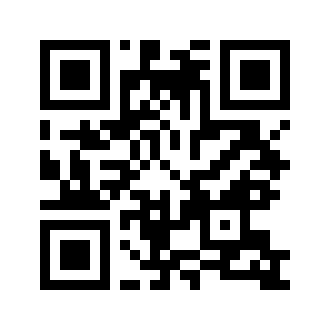
Open https://www.eyespyart.com or scan the QR code below. Sign in using the credentials provided by your instructor.
Logging In
Enter your Eye Spy Art email address and password. Use the eye icon beside a password field to temporarily show or hide what you typed. If you cannot sign in, ask your instructor or teaching assistant to send a new password-reset link.
Install on iPhone or iPad
- Open Eye Spy Art in Safari.
- Tap the Share button.
- Choose Add to Home Screen.
- Confirm the name and tap Add.
- Open Eye Spy Art from the new Home Screen icon.
Install on Android
- Open Eye Spy Art in Chrome.
- Open the browser menu.
- Choose Install app or Add to Home screen.
- Confirm the installation.
- Open Eye Spy Art from the new app icon.
Starting a Hunt
Your Assignments page lists every hunt assigned to you. If a hunt has not opened yet, you can see its opening time but cannot enter it. Open and close times are shown in your device's local time zone.
Main Artwork Photo
Unless your hunt says otherwise, take a good-quality selfie with the OBJECT FOCUSED in the background. Eye Spy Art checks image size and sharpness on your device and may suggest retaking a blurry or low-resolution photo.
Didactic Photo
Most Objects also require a photograph of the relevant didactic or museum label. This supporting photograph helps document the artwork information. If the didactic photo is optional for an Object, the Object page will say so.
Saving Draft Work
Your text answers save automatically. If the server cannot be reached, Eye Spy Art saves supported draft changes on this device before reporting that they are saved. The status message tells you whether work is saved on the device, waiting to upload, or synchronized with the server.
Working With Limited or No Internet
When Eye Spy Art cannot contact the server for about 10 seconds, the status changes to Offline. Draft text and selected photos can be queued in this browser's protected local storage. Keep the app installed and do not clear browser/site data until the status returns to synchronized. Eye Spy Art retries the server periodically while offline.
Submitting a Hunt
You may submit before the hunt closes. If you later change an answer or photo while the hunt is still open, the hunt returns to Draft and must be submitted again. Submission is not complete until all queued offline changes have synchronized.
Deadlines
After your effective close time, the hunt becomes read-only. You can continue to view the hunt while your account remains active and the hunt still exists. Your instructor may assign an individual open or close time that overrides the class default.
Scores and Feedback
Scores and instructor comments remain hidden while grading is unpublished. When the instructor publishes grades for the hunt, the published scores and comments become visible. Later grading changes appear immediately unless the instructor unpublishes the hunt grades.
Password Help
Password-reset links are one-time links that expire after 24 hours. Requesting a new link invalidates older unused reset links.
Eye Spy Art — https://www.eyespyart.com